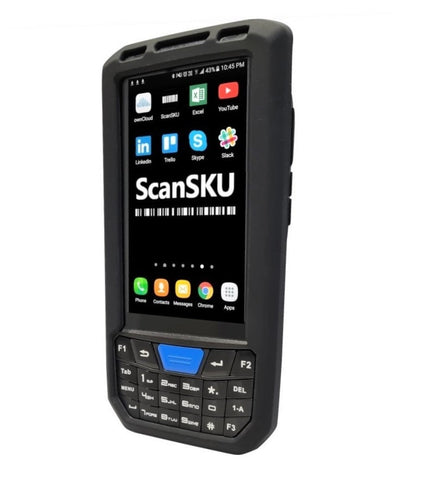




TransVirtual & the ScanSKU Android Barcode Scanner
Transvirtual Barcode Scanner
Do you run a Delivery, Courier, Point 2 Point, Transport or Freight Brokerage Company?
Item level scanning and reporting along with management tools in the mobile app & web portal allow you to monitor your staff and improve efficiencies. Real time GPS track and trace along with live notifications and alerts keeps you in control.
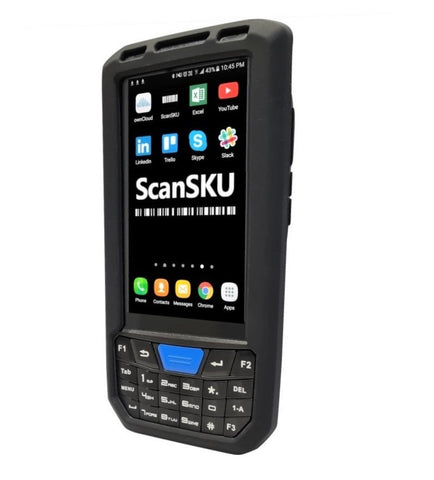
Transvirtual is compatible with the C66 and MC50 Barocde Scanners.
Note: the C66 and M50 are whitelisted for use on Australian Cellular Networks (e.g. 4G Optus and Telstra), which is why these two are the recommended scanners. Below are the settings required on the C66.
C66 Settings:
In Keyboard emulator app, set:
Broadcast Action: android.intent.action.
For use in the warehouse on wifi, we recommend the G Series.
For the G Series , they are:
In the "Scan" App, set:
Broadcast name: scan.rcv.message
Barcode key: barcodeData
Terminator: Enter
Software Compatibility Disclaimer
Our hardware is tested to ensure it works with the software packages listed on our website at the time of testing, using the software version available at that time. We aim to provide smooth setup, integration, and day-to-day operation based on those test results.
Because software providers may update, modify, or discontinue features at any time, we cannot guarantee ongoing compatibility after changes are made to their software. Updates may impact performance, functionality, or compatibility, and we are not responsible for issues caused by software changes outside our control.
We recommend you confirm compatibility directly with the software provider and review their release notes or update history before upgrading.